

Welcome to the ultimate Keep Digging walkthrough, where we’ll turn your humble shovel into a money making machine. In one paragraph, here’s everything you need to know: your main goal is to dig, collect resources, sell them on the surface, and upgrade your gear to dig even deeper. The key to fast progress is prioritizing your battery upgrade above all else, as more power means more time underground per trip. For a massive head start, jump into a friend’s advanced game to grab high value loot. Finally, don’t just dig straight down; explore horizontally at new depths to find hidden treasures and resource veins you’d otherwise miss.
The Quick and Dirty Guide to Success
For those who just want the highlights, here’s the game plan in a nutshell:
- Your First Upgrade: Always, always upgrade your Battery first. More energy equals more digging time, which means more money. It’s simple math.
- Best Digging Strategy: Dig straight down until you hit a new layer of resources. Then, branch out and explore horizontally before you continue your descent. This way, you get the best of both worlds.
- The “Get Rich Quick” Trick: Join a friend’s world that’s already deep underground. Grab a backpack full of valuable gems like diamonds or amethyst, return to your world, and sell them. You’ll skip the early game grind instantly.
- The Core Loop: Dig -> Collect -> Sell -> Upgrade -> Repeat. This is your life now. Embrace it.
What is in our Keep Digging Walkthrough
Getting Started: Your First Day on the Dirt Job
Before you can swim in a vault of gold coins, you gotta get your hands dirty. The first few steps are the most important for setting yourself up for success.

Understanding Your Screen (The UI)
When you first jump in, you’ll see a few key things on your screen. Don’t worry, it’s not complicated. You have your Health/Energy Bar, which is your lifeline underground. Your Inventory shows all the cool rocks you’ve picked up. And the Depth Meter tells you how far from the sweet, sweet sun you are. Keep an eye on these, especially your energy.
The Gameplay Loop That’ll Get You Hooked
The entire game is built around a simple, addictive cycle. You grab your shovel and start digging down. As you dig, you’ll find ores and other resources collect them. Once your backpack is full or your energy is low, you head back to the surface and sell everything. Then, you take that cash and buy better gear. With your new and improved tools, you go back down and dig even deeper. Simple, right?
The Smart Digger’s Playbook: Strategy is Everything
Just digging randomly will only get you so far. To really strike it rich, you need a plan.
Upgrades: Don’t Just Buy Shiny Things
Your money is tight at the start, so spend it wisely. There’s a clear pecking order for upgrades that will make your life way easier.
- Battery: This is your number one priority. A better battery lets you stay underground longer, meaning fewer trips to the surface and more efficient digging sessions.
- Shovel/Pickaxe: Once you’ve got a decent power source, it’s time to speed things up. Upgrading your main tool lets you break blocks faster, which feels amazing.
- Backpack: Finally, a bigger backpack lets you carry more loot. This reduces how often you have to resurface, maximizing your time spent finding the good stuff.

To Dig Straight Down or Not? That is the Question.
It’s tempting to just point your shovel down and hold the button, just like in Minecraft. But is it the best way?
Digging straight down is the fastest way to reach deeper, more valuable resources. However, you’ll fly past massive horizontal veins of ore, hidden caves, and secret tech.
The best approach is a hybrid one. Dig vertically until you reach a new, exciting looking depth. Then, start digging sideways to see what you can find. It’s a great way to load up on resources before continuing your main descent. It gives you the speed of vertical digging with the riches of horizontal exploration. Plus, unlike Minecraft, you don’t have to worry about digging straight into a lava pit… I think.
Your Toolkit for Success: What to Use and When
You’re not just armed with a shovel. You’ve got a few other toys to help you on your quest for treasure.
Dynamite is great for clearing large areas quickly, though some players report it can be a bit buggy. Wire Ropes are a lifesaver for getting back up long shafts without having to build a staircase like a chump. And Color Spray is surprisingly useful for marking your path so you don’t get lost in your own spaghetti like tunnels.
As you dig deeper, the resources get better. Here’s a rough idea of what to look for:
| Resource Name | Approx. Depth | Value |
|---|---|---|
| Copper | 20-100m | Medium |
| Iron | 50-200m | Medium High |
| Gold | 200-500m | High |
| Diamond | 500-800m | Very High |
| Amethyst | 700-1000m | Very High |
Co-op: Digging is Better with Friends
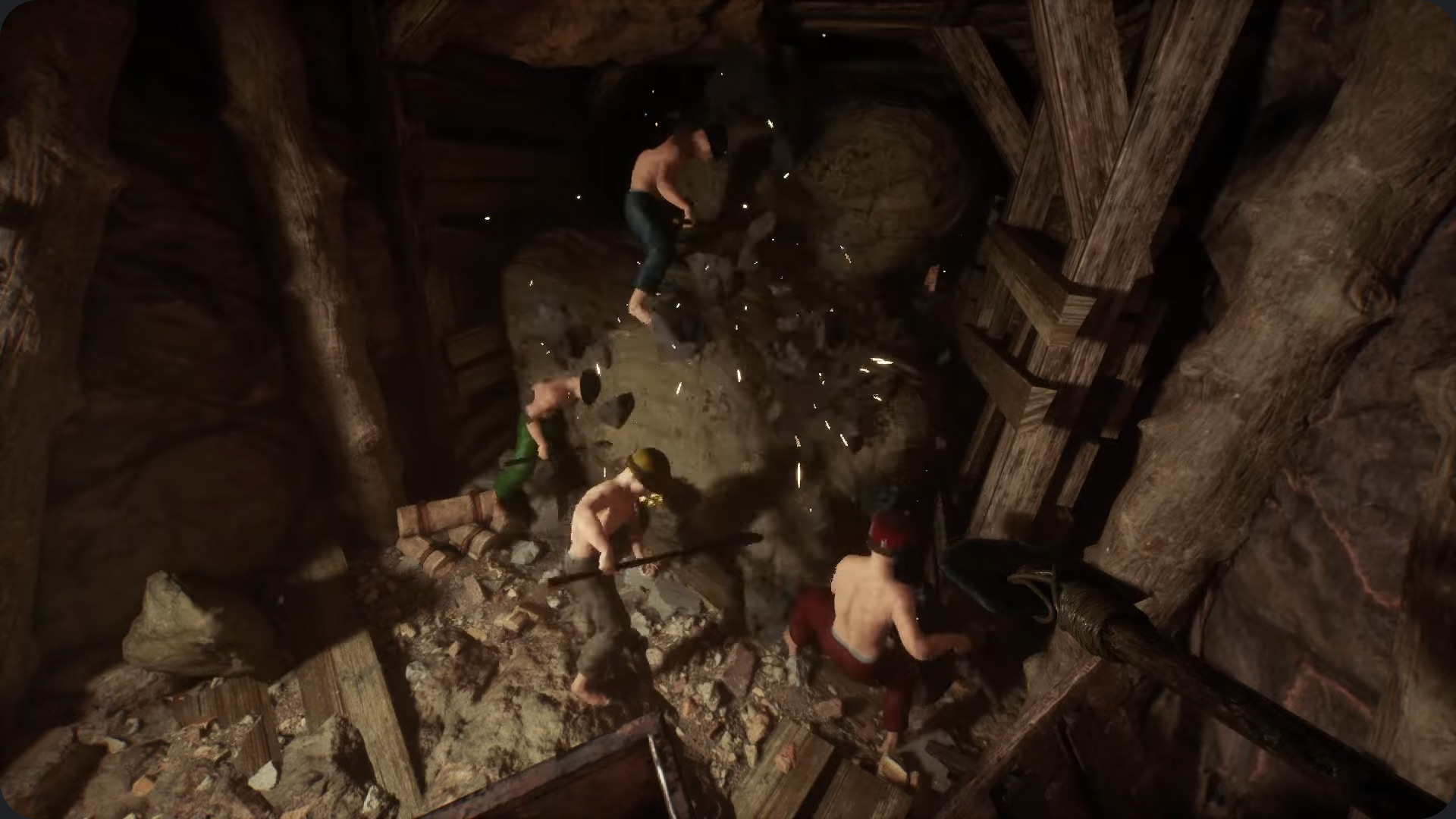
Keep Digging allows up to 8 players, and this is where the game truly shines.
The “Get Rich Quick” Scheme (That’s Totally Legit)
Here’s the single most powerful strategy in the game: items and money you earn in someone else’s world come back with you to your own. Find a friend who has already reached the deep, diamond filled layers. Join their game, fill your pockets with high value gems, and head back to your own world a very, very rich person. It’s not cheating, it’s… strategic resource acquisition. Yeah, that sounds better.
Assembling Your Dream Dig Team
If you’re playing with a group, give everyone a job.
- The Driller: This person has the best pickaxe and their only job is to push the main tunnel deeper.
- The Prospector: This player explores horizontally off the main tunnel, looking for big ore veins and secrets.
- The Hauler: This person’s job is to run resources back to the surface to sell, keeping the diggers stocked and funded.
The Boring But Important Stuff: Tech & Bugs
Sometimes, the game fights back. A few players have run into performance issues. The developers suggest a few fixes: absolutely install the game on an SSD if you have one, as it makes a huge difference. Also, make sure your graphics drivers are updated and try running the game in the “Performance (Lightweight) Mode” option when you launch it.
Thanks for keeping up with Game.Dazepuzzle